What the platform does, end to end
A day with Data Conductor, in the order the work actually happens. Each section is short on purpose and links to the page that goes deep.
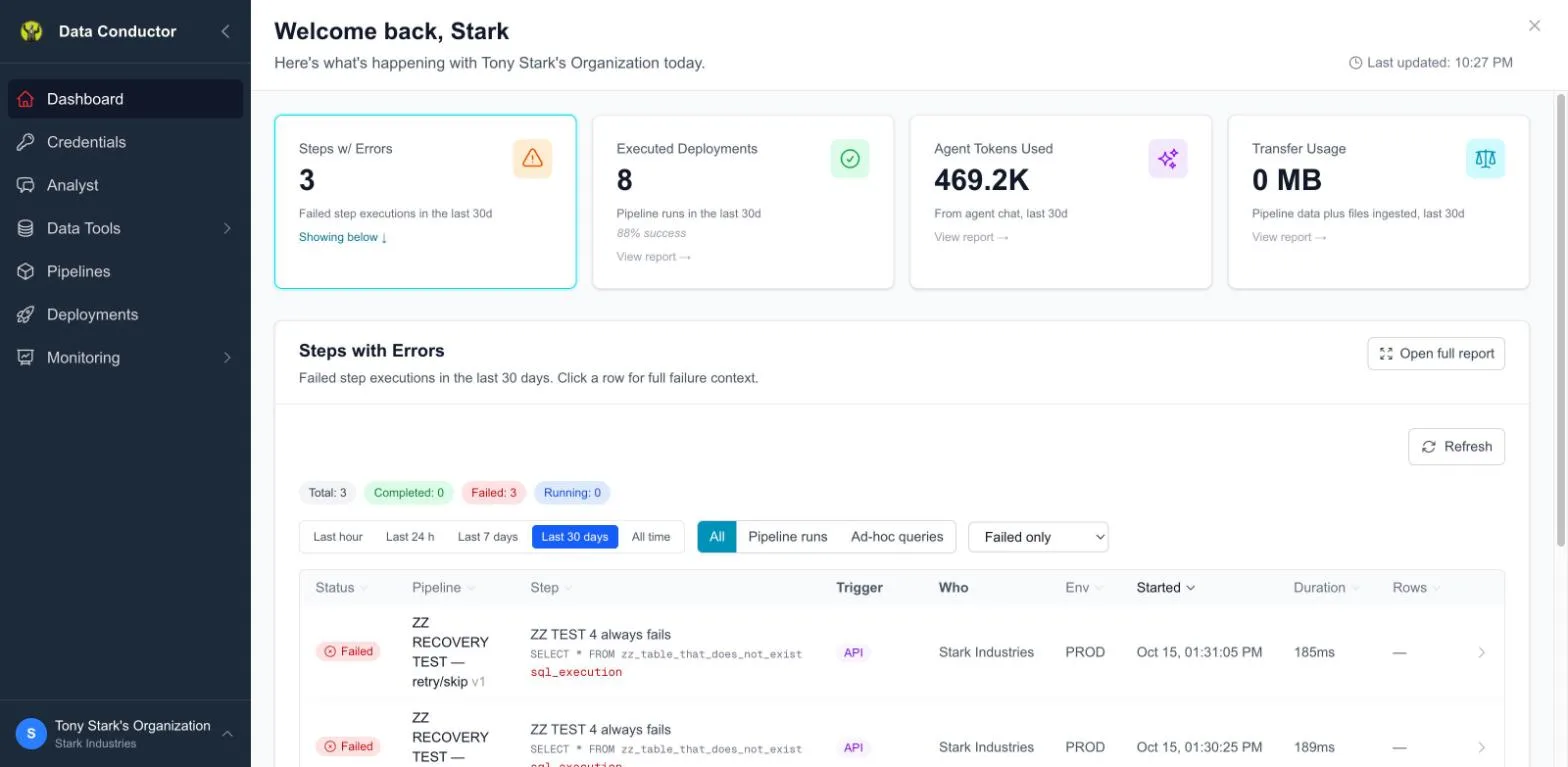
If you only read one thing: a pipeline is SQL steps, chained. Everything below is scaffolding around that one idea — getting the SQL the context it needs, running it on a schedule, and telling you what happened.
1. Connect what you already have
A connection is a database or an object store Data Conductor can reach. Postgres, MySQL, SQL Server, BigQuery, Snowflake, Databricks, Redshift, plus GCS and S3-compatible storage.
Credentials are entered once, tested from the page, and never shown back to the browser afterwards.
2. Let it learn your shape
Indexing reads the catalogue — table and column names, types, nullability, row counts — so the agent writes SQL against columns that exist rather than columns it guessed.
It reads information_schema, not your rows. A column of personal data is
indexed by name and type; no value from it is ever stored.
The one step people skip and shouldn't: describing the ambiguous columns. A
status integer with one sentence under it is the difference between the
agent answering correctly and guessing.
→ Schemas
3. Get data in, if it isn't already
Two different jobs, often confused:
- Ingest a file you have — a CSV or Parquet export, up to 50 MB. Lands as a table. → Ingest Files
- Transfer a table that already lives somewhere else — production database into a warehouse, warehouse into Postgres. Goes via object storage in two legs. → Moving data between sources
4. Write the step
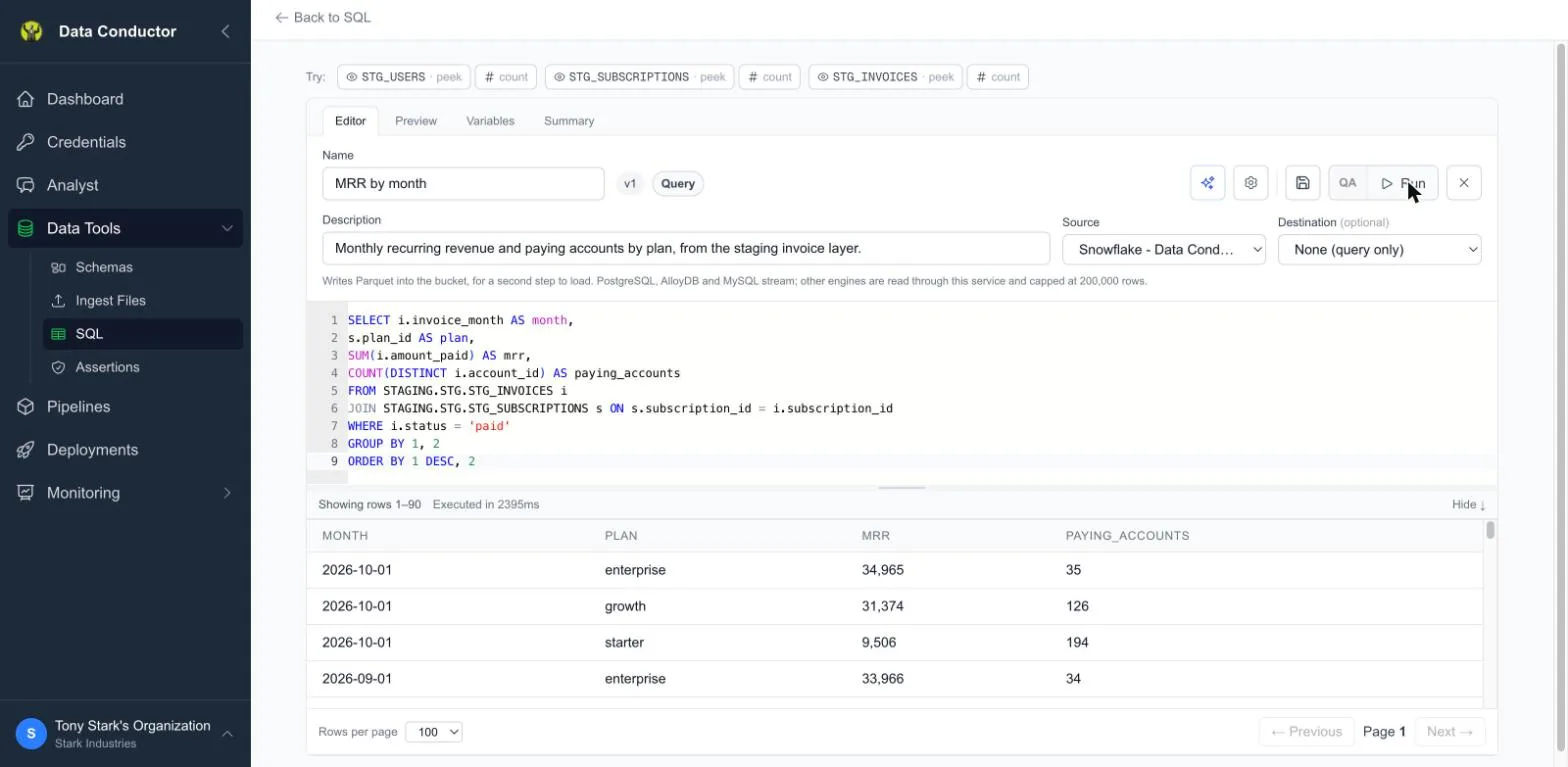
A data step is one query, saved and versioned. Write it in the editor,
run it against a real connection, and parameterise anything
environment-specific with {{variables}} so the same SQL is correct in QA
and in production.
You do not have to write it from a blank editor. The Analyst will write it against your indexed schema — in the sidebar, or from the sparkle button inside the editor, where it can see the query you already have open.
5. Decide what "correct" means
An assertion is a query plus an expectation, attached to a step. It runs with the step and judges the result: warn, pause the run, or stop it.
It is the difference between knowing a pipeline ran and knowing it ran correctly — the gap most scheduled SQL never closes.
→ Assertions · How we think about pipeline testing
6. Chain the steps
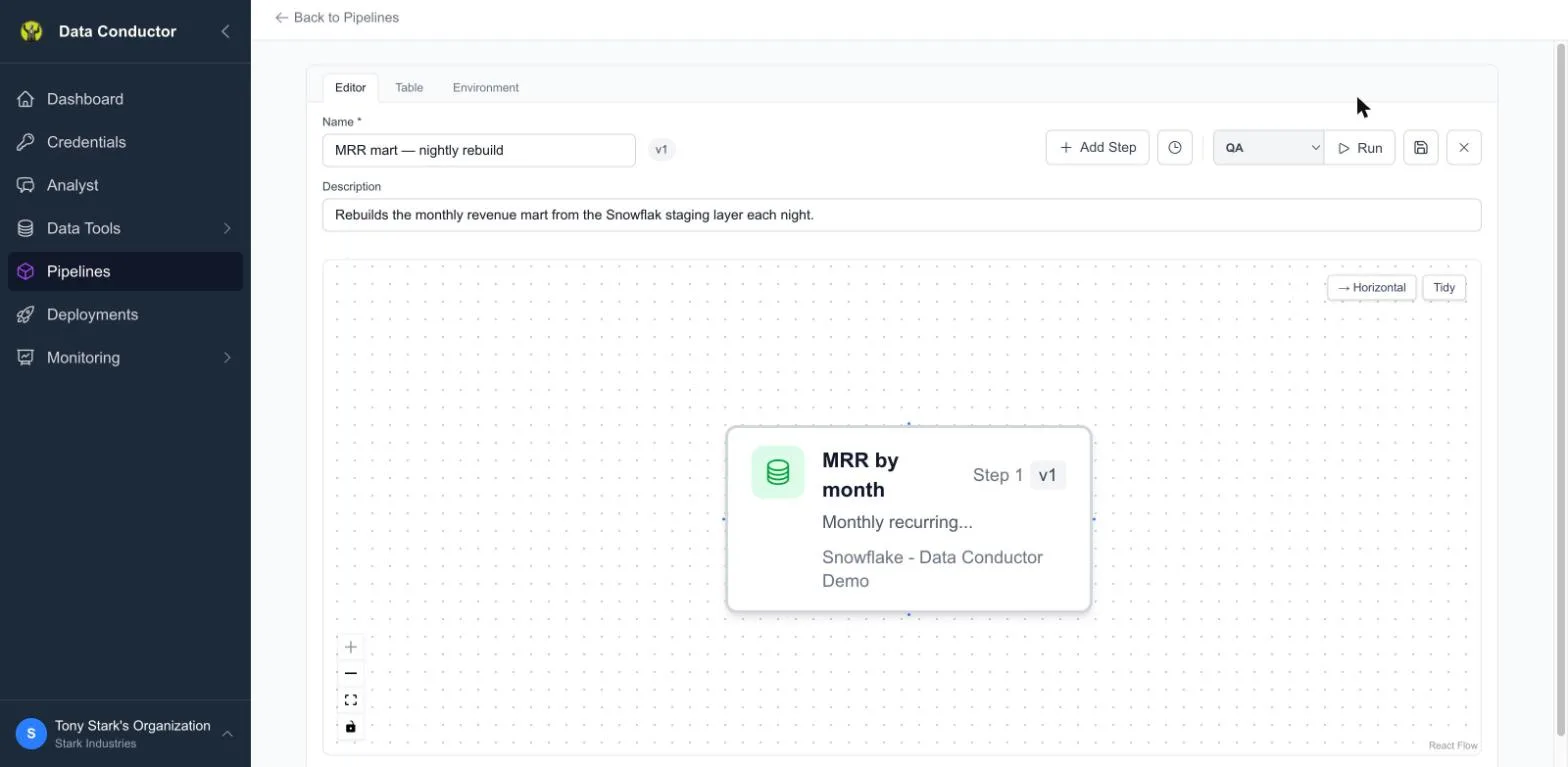
A pipeline is steps in order, with the dependencies between them. Put a condition on a connection and a step runs only when something is true — the previous step returned rows, or returned a particular value.
Conditions decide what runs. Assertions decide whether what ran was right. Two different jobs, and it is worth keeping them straight.
7. Ship it
A deployment runs a pipeline: on a CRON schedule, on demand, or behind an API endpoint. A deployment pins a version, so editing a draft never changes what production is doing.
QA and production are real environments, not a naming convention. Every
{{variable}} has a value in each, so promoting is a promotion rather than
a rewrite.
→ Deployments · QA and PROD without a second database
8. Watch it
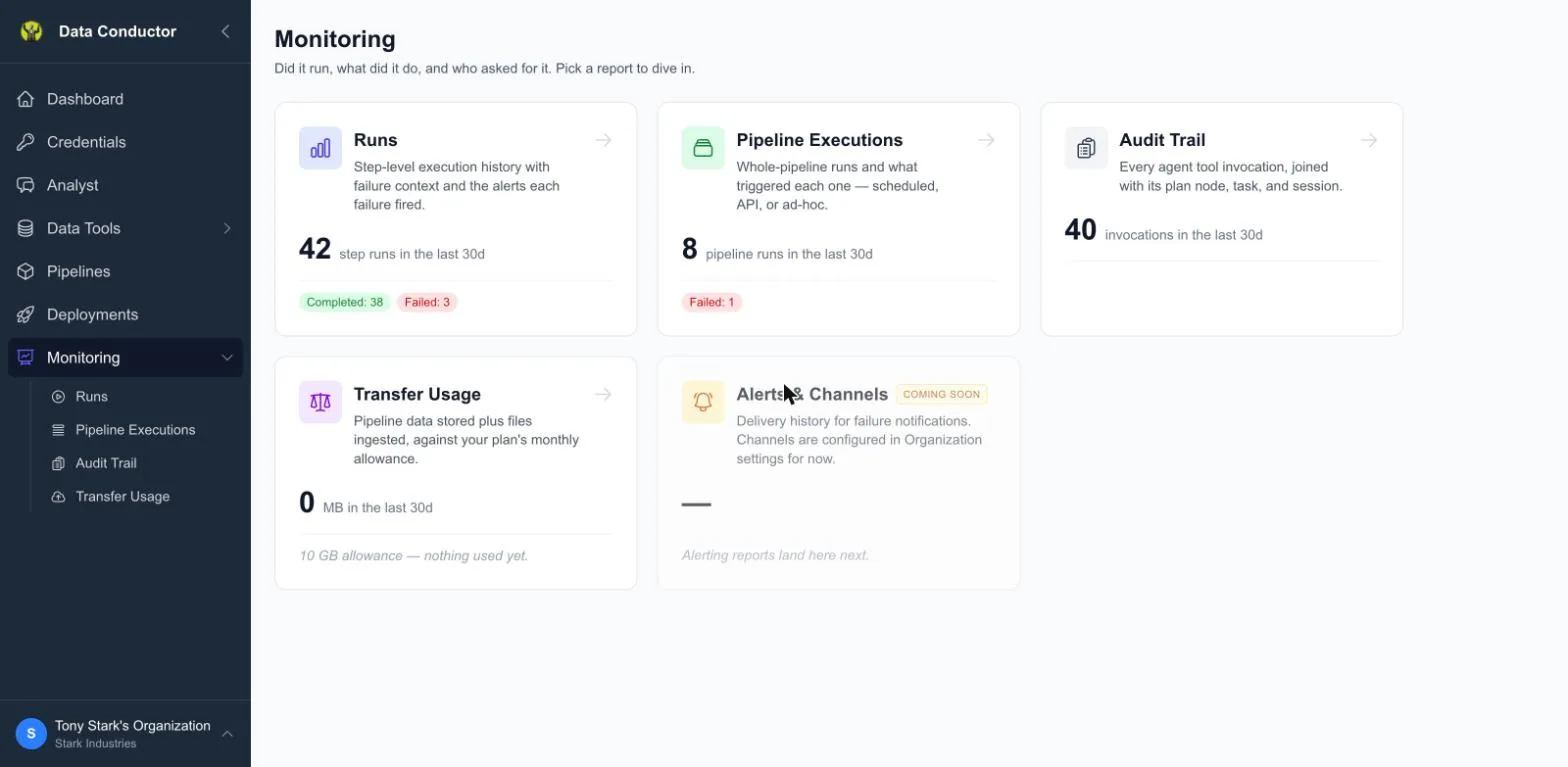
Did it run, what did it change, who asked for it. Step-level failures carry the real database error and the SQL as it actually ran, variables substituted — which is usually the fastest route to "works in QA, fails in PROD".
What this replaces
If you have looked at an orchestration framework and thought that is a lot of machinery to move data between two Postgres databases, this is the alternative: no DAGs to author, no second language, no framework to learn. The SQL you already write, with the operational layer around it.
→ From a cron job to a pipeline
Next
- Get started — ten minutes to one scheduled query
- Your first pipeline — the longer, multi-step walkthrough