Data Tools
Data Tools is the hub for everything that feeds a pipeline: the schemas that describe your data, the files you bring in, the SQL you write, and the assertions that gate a run.
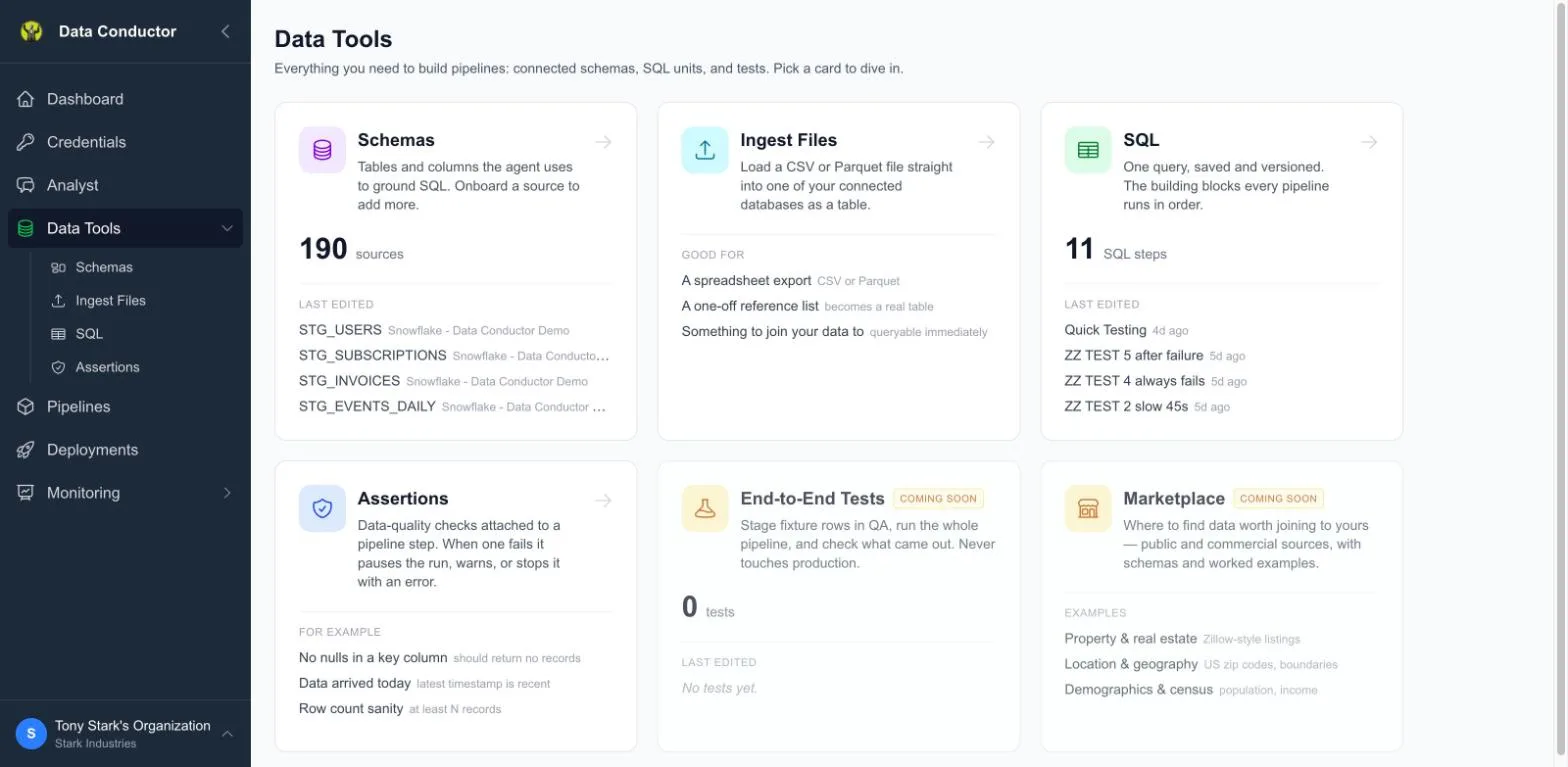
What is on the hub
Six cards, in the order you meet them rather than alphabetically: point at your data, bring some in, query it, check it.
| Card | What it is |
|---|---|
| Schemas | The tables and columns indexed from your connections. What the Analyst reads to ground its SQL. |
| Ingest Files | Load a CSV or Parquet file in as a table. |
| SQL | SQL data steps — the blocks every pipeline is built from. |
| Assertions | Data-quality checks that gate a run: warn, pause or stop it. |
| End-to-End Tests | Coming soon. |
| Marketplace | Data worth joining to your own. Coming soon. |
Each card shows a count and the last few things you edited, so you can get back to work without navigating. The same four live sections are children of Data Tools in the sidebar, in the same order, so the second visit does not need the hub at all.
Steps, and the three kinds
Everything on the SQL list is a data step: one query, saved and versioned. A step is one of three kinds, and they are not interchangeable — only a query is something a pipeline runs in order.
| Kind | When it runs | What it is for |
|---|---|---|
| Query | Every pipeline execution | The ordinary case — read, transform, write |
| Migration | Every time in QA, once per environment in production | DDL. The "once" is tracked on your own database. Not a pipeline step |
| Assertion | Around a step it is attached to | Judges whether the data is right, then applies a policy |
Queries and migrations share the SQL list, with an All | Queries |
Migrations filter. Assertions have their own surface, because they are not
things a pipeline runs in order — they are attached to a step and run before
or after it.
Assertions are not conditions
The distinction is worth getting right the first time, because both look like "a check on a pipeline" and they do different jobs.
- An assertion judges whether the data is right and applies a policy — warn, pause the run, or stop it with an error. It does not change what runs next.
- A condition decides what runs next. It is set on a pipeline edge, not here.
A row count that is lower than it should be is an assertion. "Only run the export if yesterday's load finished" is a condition.
Related
- SQL Data Steps
- Schemas
- Pipeline Tests
- Pipelines — where assertions get attached