Credentials
Credentials are the connections Data Conductor uses to reach your databases and storage. Everything else — data steps, pipelines, ingestion — runs through one of them.
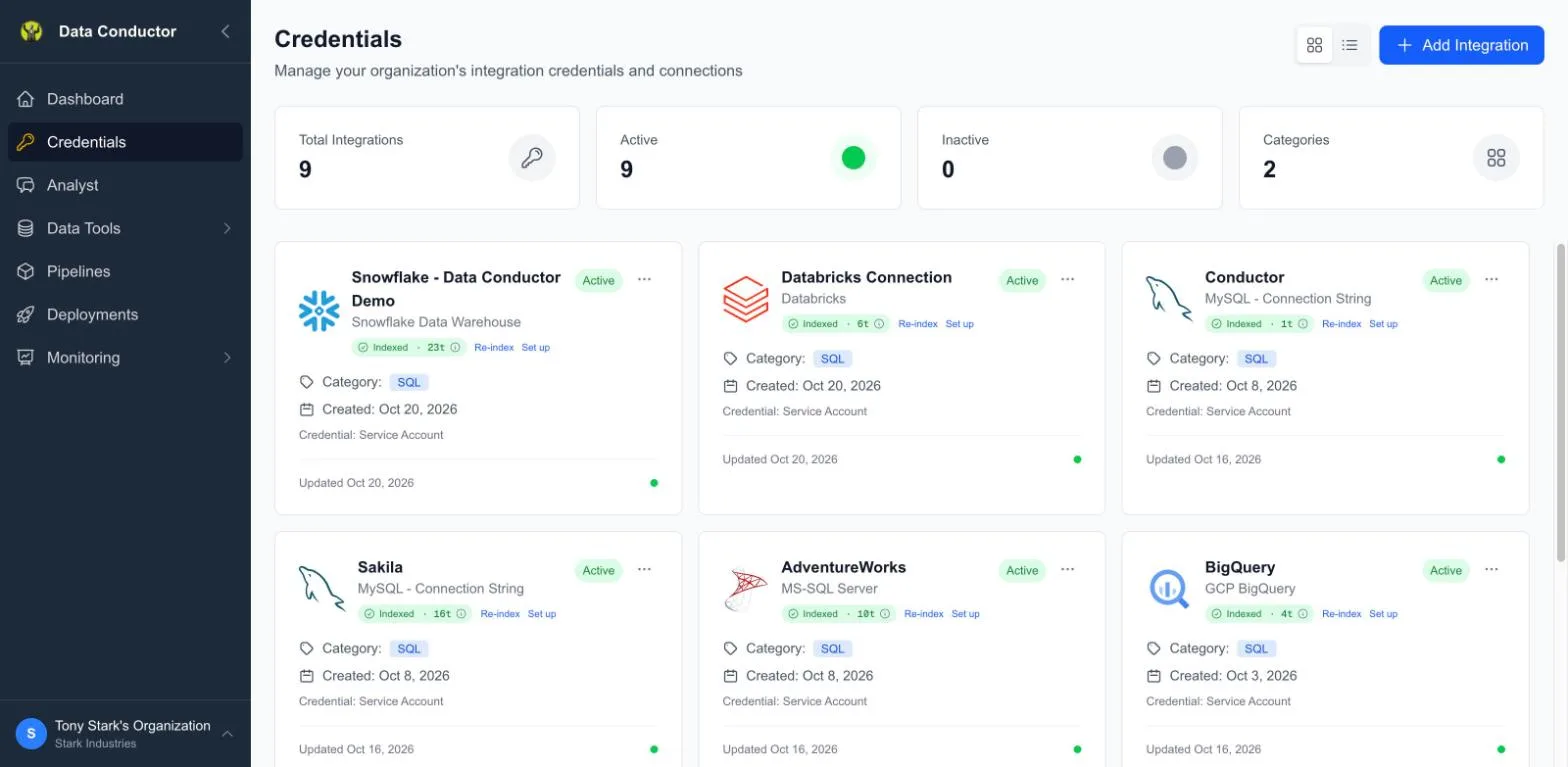
Adding a connection
Credentials → Add Integration, then pick the type. The form changes to suit it: a Postgres connection asks for host, port, database, user and password; BigQuery asks for a project and a service-account key; Snowflake adds warehouse and role.
Give the connection a name your team will recognise — it's what appears in the Source dropdown when someone writes a data step.
What the setup step asks for
Saving a connection proves we can reach your database. It does not yet say which compute to run on, or which of your schemas the Analyst should know about — Set up on the connector card asks both, and what it asks depends on the engine.
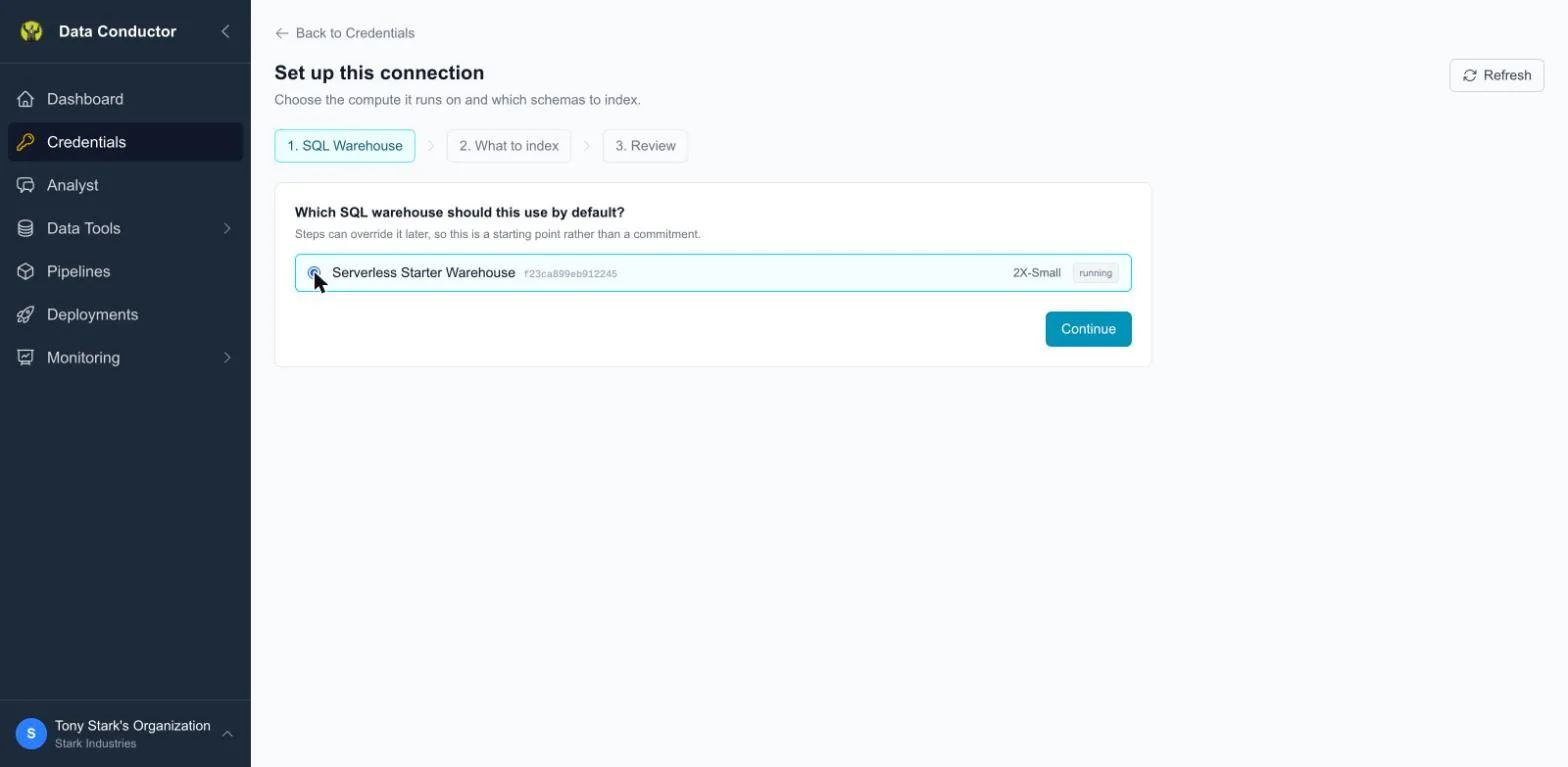
Snowflake asks for a warehouse, Databricks for a SQL warehouse. Databricks also shows an id next to the name, because there the name is a label and the id is what builds the connection path; on Snowflake the name is the identifier, so there is nothing to show beside it.
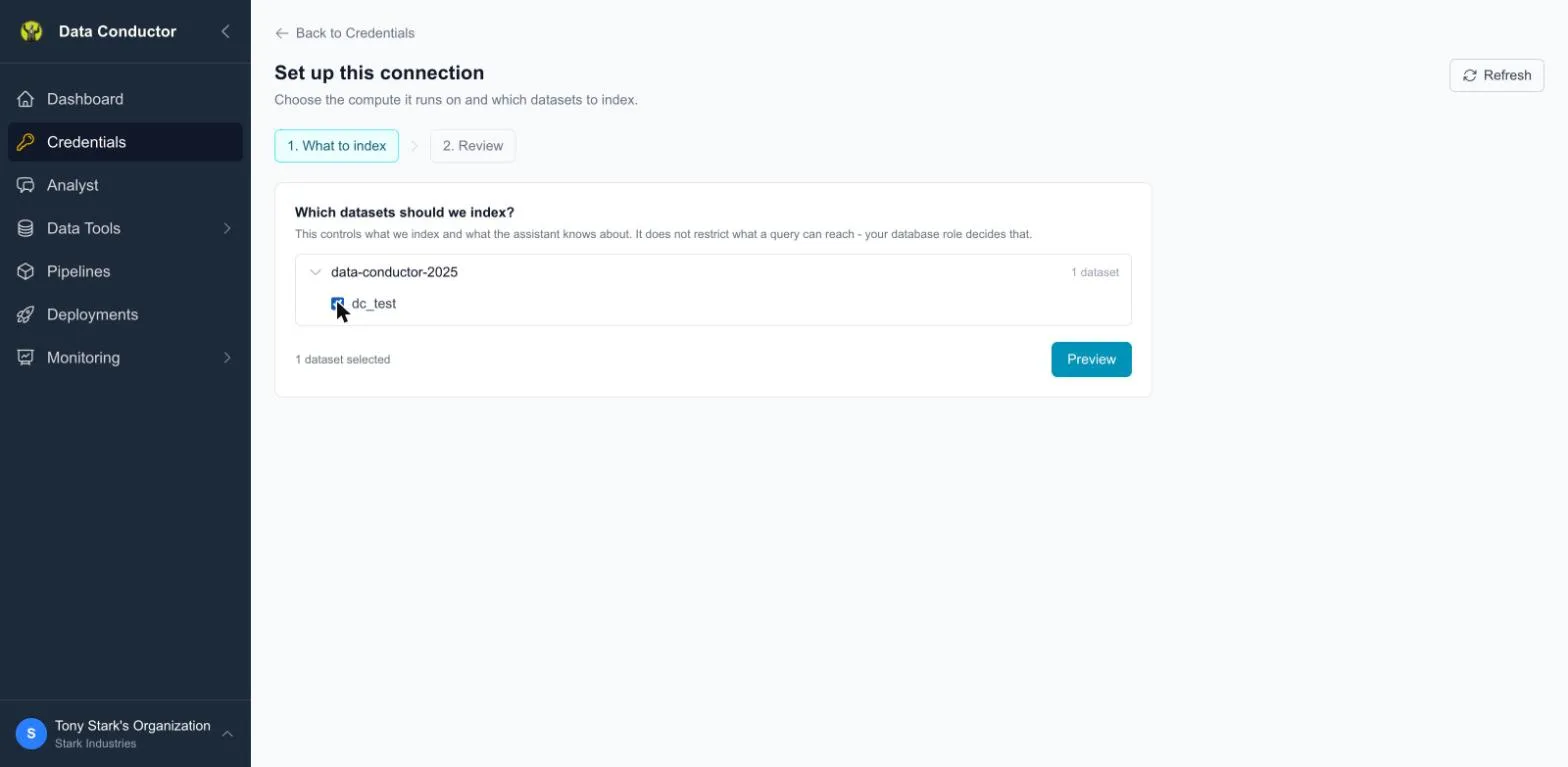
BigQuery has no compute you choose per connection, so that step disappears and the wizard has two steps instead of three. The level names follow your engine as well: databases and schemas on Snowflake, projects and datasets on BigQuery, catalogs and schemas on Databricks.
Indexing scope is not a permission boundary
What you tick decides what we index and what the Analyst knows about. It does not restrict what a query can reach — the database role you connected with decides that.
Quick Setup walks through the whole step.
Getting your credentials
Every connector asks for values that live in your provider's console, not in Data Conductor. This is where to find each one.
Two habits worth keeping regardless of provider: create a dedicated user or key for Data Conductor rather than reusing a personal one, and grant it only the databases and buckets it actually needs. A credential scoped narrowly is one you can rotate without wondering what else breaks.
Databases and warehouses
| Connector | What you need | Where to get it |
|---|---|---|
| PostgreSQL — Host / Port | host, port, database, username, password | CloudSQL · RDS / Aurora · Azure · Neon |
| PostgreSQL (connection string) | a postgresql:// URI |
Same providers — most show a ready-made connection string |
| MySQL | host, port, database, username, password | RDS for MySQL |
| MySQL — Connection String | a mysql:// URI |
Same |
| Microsoft SQL Server | host, port, database, username, password | Azure SQL connection details |
| BigQuery | service-account JSON key, dataset, location | Create a service-account key |
| Snowflake | account identifier, username, private key, warehouse, role | Key-pair authentication · Finding your account identifier |
| Databricks | workspace URL, HTTP path, personal access token | Connection details · Personal access tokens |
Object storage
| Connector | What you need | Where to get it |
|---|---|---|
| Amazon S3 | access key ID, secret, region | Managing AWS access keys |
| Google Cloud Storage | HMAC key ID and secret | Managing HMAC keys |
| Azure Blob Storage | storage-account connection string | Configure a connection string |
| Cloudflare R2 | account ID, R2 access key ID, secret | R2 API tokens |
| S3-compatible (MinIO, Backblaze B2, Wasabi) | endpoint URL, access key ID, secret, region | Your provider's own S3-compatibility page |
Google Cloud Storage needs an HMAC key, not a service account
This is the one that catches people out. Storage access goes through DuckDB, which authenticates to GCS with an HMAC key — a pair that looks like AWS credentials. A service-account JSON key, the thing you would use for BigQuery, will not work here. HMAC keys are created under Cloud Storage → Settings → Interoperability.
AI providers — coming soon
Not available yet
These connectors exist for agent steps: a planned step type that calls a model as part of a pipeline run, the same way a SQL step runs a query. The feature is not switched on yet, so a key added here does nothing today.
This is not the Analyst. The Analyst (mAIstro) is available now, runs on Data Conductor's own model configuration, and needs no key from you — these keys would be for models your pipelines call.
| Provider | What you need | Where to get it |
|---|---|---|
| Claude (Anthropic) | API key | Anthropic get started |
| Google Gemini | API key | Using Gemini API keys |
| OpenAI | API key | OpenAI quickstart |
Supported databases
| Family | Notes |
|---|---|
| PostgreSQL | Includes CloudSQL, Aurora/RDS, Azure Database, Neon, Yugabyte, CockroachDB, Redshift |
| MySQL / MariaDB | Includes cloud-managed MySQL variants |
| Microsoft SQL Server | Cloud-hosted |
| BigQuery | Service-account authentication |
| Snowflake | Warehouse and role required |
| Databricks | PAT or M2M authentication |
| DuckDB over cloud storage | S3, GCS, Azure Blob, R2, and S3-compatible endpoints |
Testing
Every connection has a Test action. Run it before saving — a connection that can't be reached produces confusing failures later, at execution time, where the cause is much harder to see.
Access
Connections belong to the organization, not to the person who created one, so anyone with access to your organization can use a connection in a data step or pipeline.
If your databases restrict access by IP, see Organization Settings for the addresses to allowlist.
Related
- Schemas — indexing what's inside a connection
- SQL Data Steps — writing queries against one