Analyst
The Analyst is the chat surface. You describe what you want in plain language and it works against your own connected data — reading your indexed schemas, writing SQL, and offering to save what it produces as a data step.
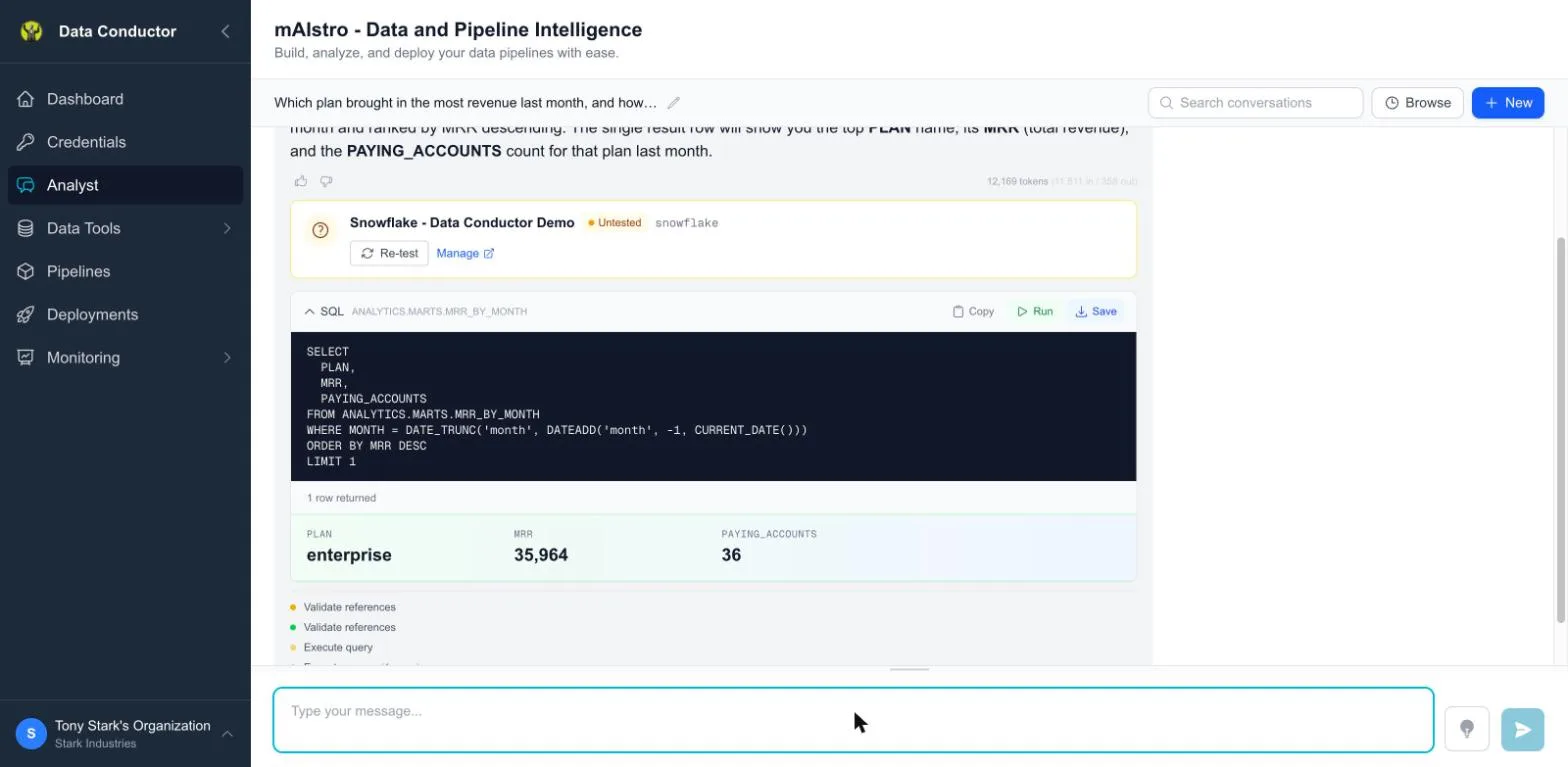
It's the fastest way to get from a question to something you can schedule.
Two places it lives
The Analyst is the same agent in two surfaces, and which one you want depends on whether you already have something open.
| Analyst (sidebar) | Ask AI (in the SQL editor) | |
|---|---|---|
| Opens from | The Analyst tab | The sparkle button, beside Save |
| Knows about | Your indexed schemas | Your schemas and the step you have open |
| Good for | "What is in this data", starting from nothing | "Change this query", working on something that exists |
The in-editor drawer is the one people miss. It is given the SQL currently in the editor — including edits you have not saved — plus the step's name, description, source, destination and variables. So "add a date filter to this" works without pasting anything, and "why would this fail in PROD" can be answered by looking at which variables have no PROD value.
It also knows which editor it is in. Open it from an assertion and it will
tell you that an INSERT does not belong there, point you at the SQL editor,
and then write the check you were probably describing instead.
Starting a conversation
Analyst in the sidebar. Sessions are listed alongside the chat; each keeps its own history, so a conversation about last quarter's reporting stays separate from one about a migration.
What it can do
- Answer questions about your data, by writing and running SQL against a connection you've authorised.
- Explain your schema — which tables exist, what a column means, how two tables relate.
- Draft a data step and save it, so a query you arrived at in chat becomes something you can version and schedule.
- Build toward a pipeline, escalating from a rough idea to a concrete proposal to validated SQL.
Grounding
The Analyst reasons from your indexed schemas rather than guessing at column names. The better Schemas is populated — especially column descriptions — the more accurate it is.
If it invents a column name, there are two usual causes. The source may not be indexed at all, which Schemas will tell you. Or the table is a wide one, where it is given the column count rather than the whole list until something narrows the question. Naming the table in your question is the quickest fix, and writing descriptions for its columns is the durable one.
What I know / what I need
On multi-step work it states what it has and what it's missing rather than proceeding on assumptions.
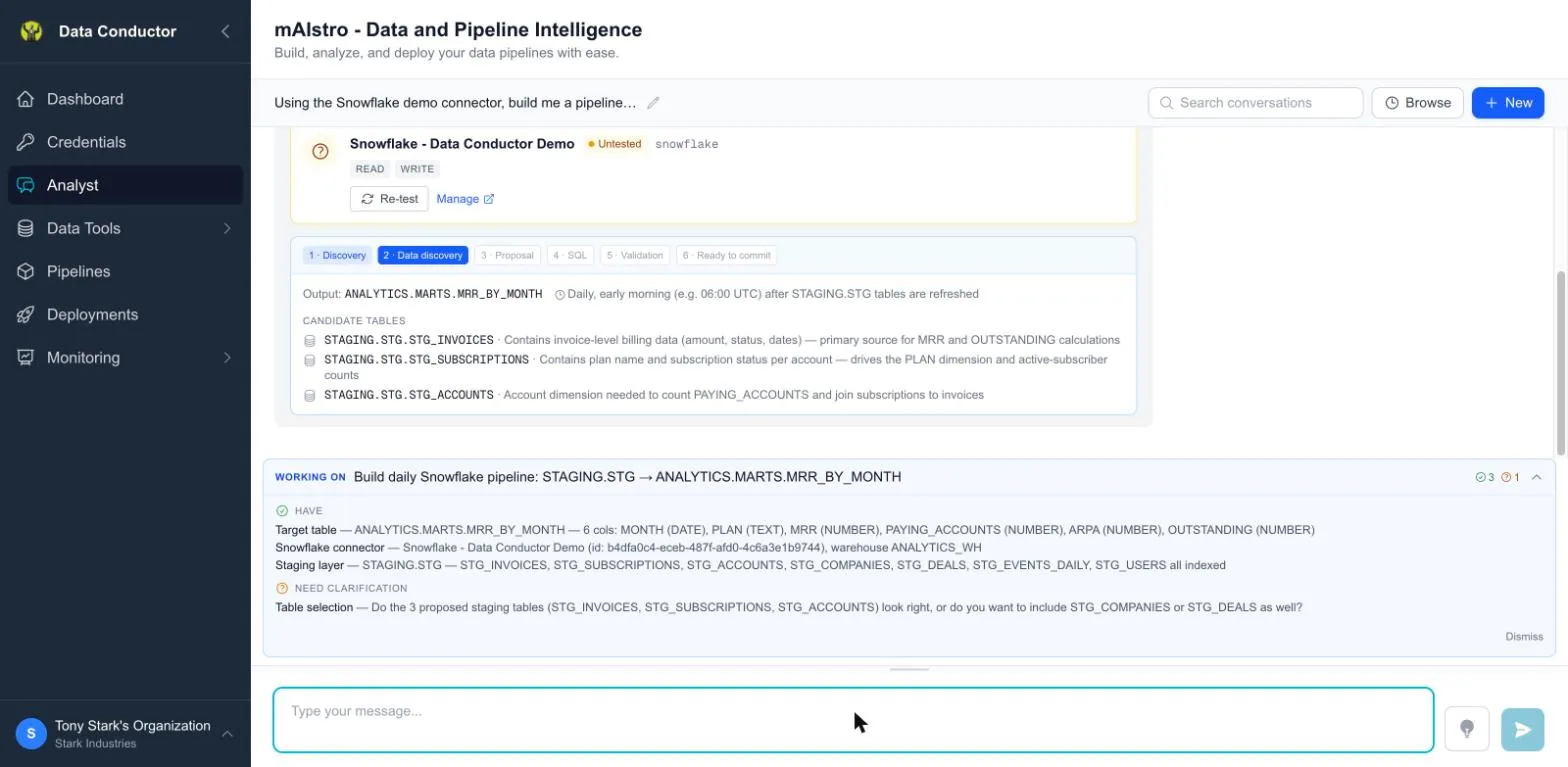
When it says it needs something — a connection, a date range, which of two similar tables you meant — supplying it is faster than letting it guess. A question here is not the Analyst stalling; it is the one point where a wrong assumption is cheap to correct.
Asking well
The difference between a useful answer and a vague one is usually how much the question pins down. Three that work:
- "Which tables have a customer id, and how do they join?" — schema questions are answered from the index, so they are fast and do not touch your data.
- "Write a query for orders per region last quarter, from the Snowflake connection." — naming the source removes the one guess it would otherwise make.
- "This returns duplicates — why?" — asked from the editor drawer, with the query already on screen.
And one that does not: "show me my sales". It does not know which of three tables you mean or what period you consider current, so it will ask, and you will have spent a turn.
Building a pipeline in chat
Open-ended work — "build me a pipeline that rebuilds this table every morning" — escalates in stages rather than jumping straight to SQL. It finds the tables, proposes a shape, writes the SQL, validates it, and only then offers to commit. The stepper along the top shows where it has got to.
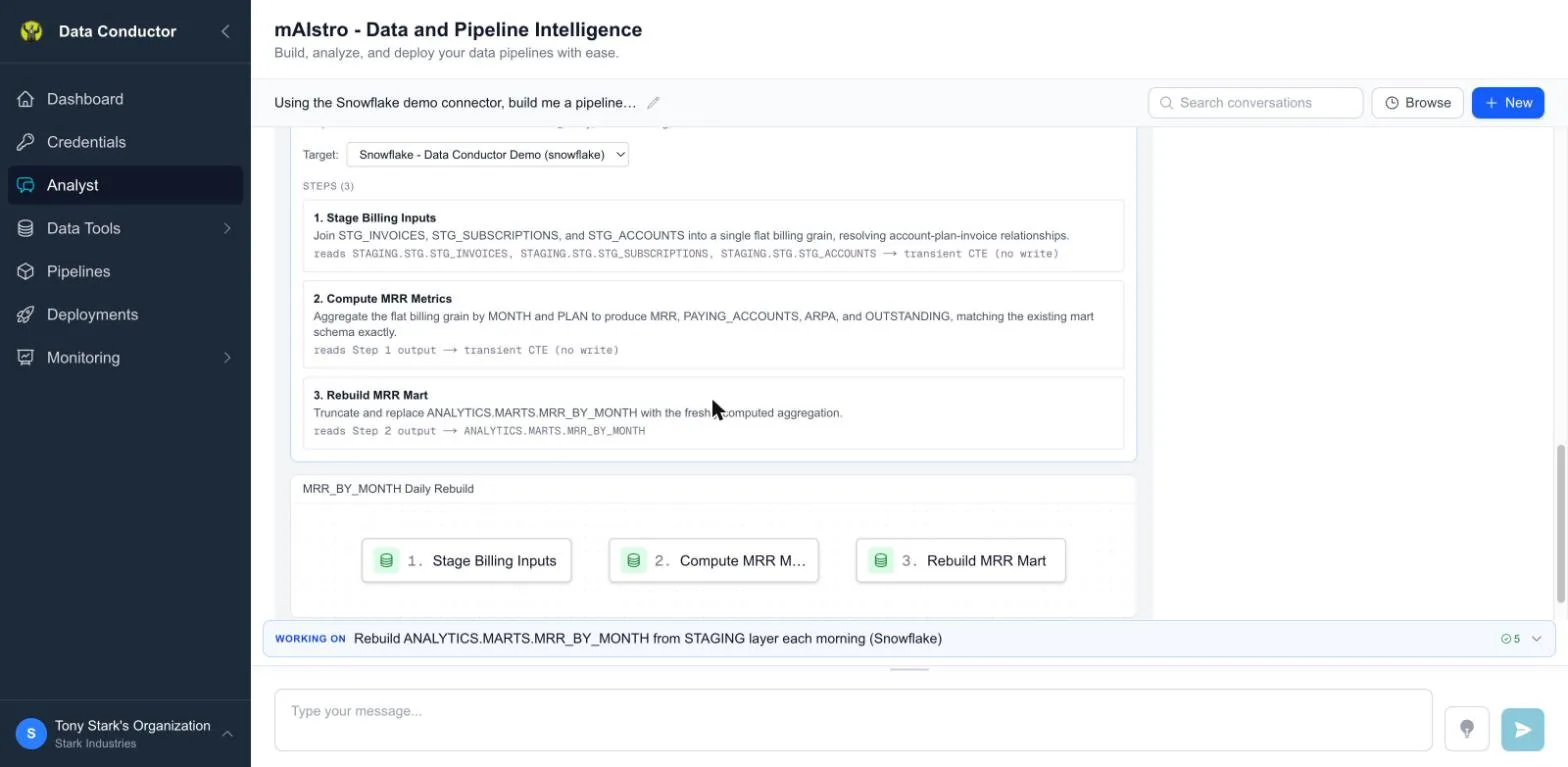
Every step says what it reads and what it writes, so you can see which ones touch your tables and which are intermediate — in this proposal only the last step writes anything.
The staging is the point. Correcting a proposal costs a sentence; correcting SQL costs reading it first. If the shape is wrong, say so before you ask for the SQL.
Charts
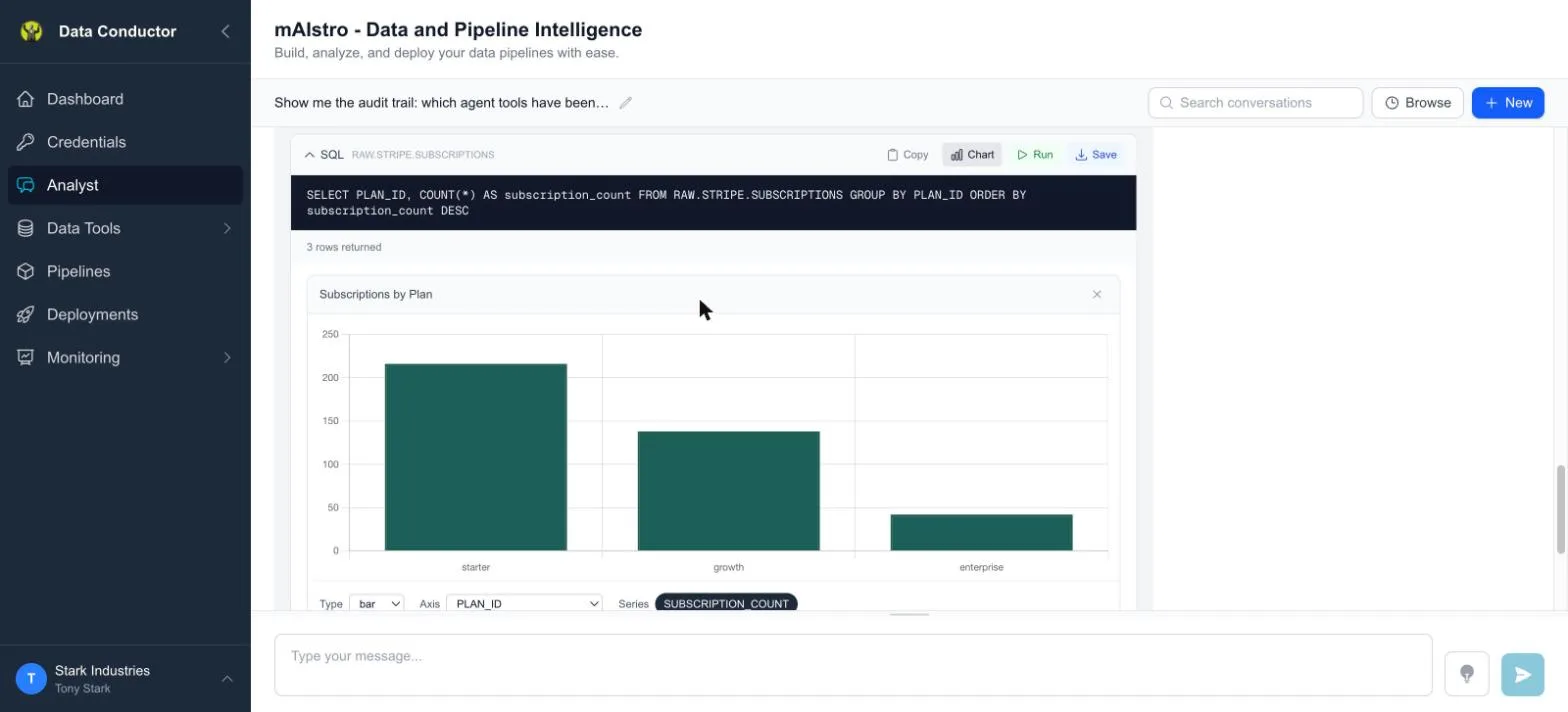
Any result with rows has a Chart button beside it — in chat and in the SQL editor. Press it and Data Conductor picks a sensible type and axes from the shape of the data; the controls above the chart let you change type, axis and series without touching the query.
You can also just ask: "show me that as a bar chart". The Analyst draws it from the rows the query actually returned, not from numbers it retyped.
| Type | Good for |
|---|---|
| bar | comparing categories — revenue by region, counts by status |
| line | a value over time, when the x axis really is ordered |
| area | the same, when the volume under the line is the point |
| pie | parts of a whole, up to about seven slices |
It warns rather than refuses. Ask for a pie of twelve categories and you
get the pie and a note that past about seven slices they stop being
comparable by eye. Ask for a line against a non-date column and you get the
line and a warning that it joins points in the order the query returned
them rather than along a real axis — which matters, because a chart like
that can show a confident trend that is purely an artefact of your
ORDER BY.
A chart is only ever offered, never assumed. The Analyst will not decide a chart would be nice and draw one. When a result would plot and nobody asked, you get a Show as chart button — one click, and nothing drawn until you press it.
Charts are a view, not a saved object. They are not stored with a pipeline step and do not run on a schedule; they are for looking at an answer while you have it.
Saving its output
SQL the Analyst produces isn't automatically part of your platform. Results come with a Save action that creates a proper data step, at which point it picks up versioning, environments and everything else.
Accountability
Every action the Analyst takes is recorded. See the Audit Trail for what ran, who asked, and what it cost in tokens.
Related
- Schemas — what grounds its answers
- SQL Data Steps — where its output lands