HTTPS Endpoints
An HTTPS endpoint is one saved HTTPS request, versioned like a SQL step and runnable as a step in a pipeline.
A SQL step asks your warehouse a question. An HTTPS endpoint asks something on the internet.
Three things it is for:
- Start work somewhere else — kick off a job in another system, then let the next step carry on.
- Tell something it happened — post to a webhook when a pipeline reaches a point that matters.
- Read what no database holds — a price, a status, a list that only exists behind an API.
Building one
Data Tools → HTTPS Endpoints → New endpoint. The two fields you cannot leave out are a name and a URL.
| Field | What it does |
|---|---|
| Method | GET, POST, PUT, PATCH, DELETE or HEAD. GET by default |
| URL | Must be https://. Plain http:// is refused |
| Headers | Name and value, as many as you need |
| Body | For POST, PUT and PATCH. A GET may not carry one |
| Credential | Optional — see below |
| Timeout | How long to wait before giving up |
| Successful statuses | Which codes count as success. 2xx by default; set 404 if "it is gone" is the answer you want |
| Store the response | Keep the parsed response so later steps can read its fields |
Test sends the request as you have it on screen, without saving, and shows you what came back. Use it before you save anything.
A credential is optional
Plenty of APIs need no authentication at all, and the endpoint editor's first option says so: No credential — this endpoint is public, or sets its own header. Leave it alone and nothing is attached.
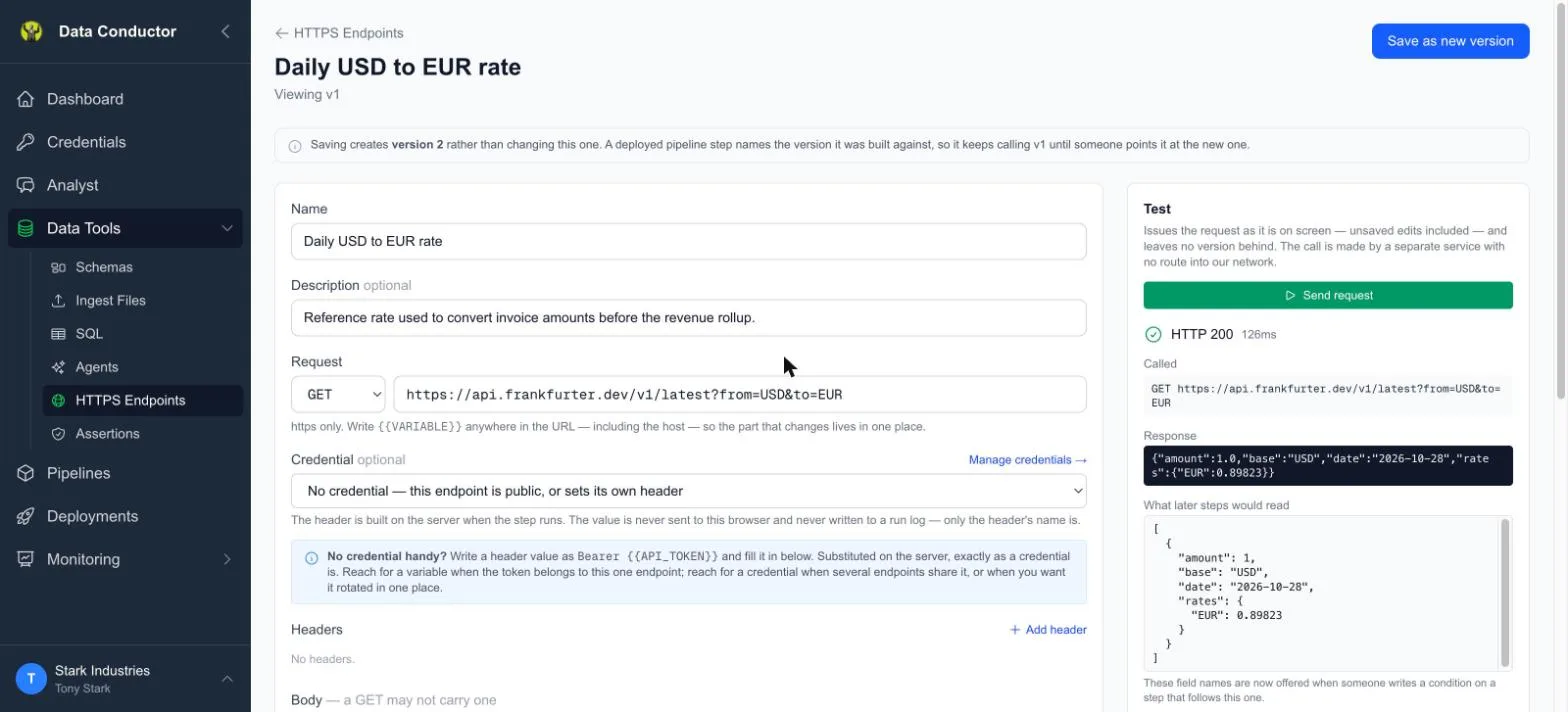
That one reads a published exchange rate. There is nothing to authenticate with, the Credential field is left on its default, and Test returns 200. On the endpoints list its Credential column reads None — and means it, because the request really does go out unauthenticated.
When an API does need authentication, you have two ways:
Attach a credential. Add a Bearer token, API key header or Basic auth credential under Credentials → Add Integration. It appears there with an HTTP category and a link straight to this screen.
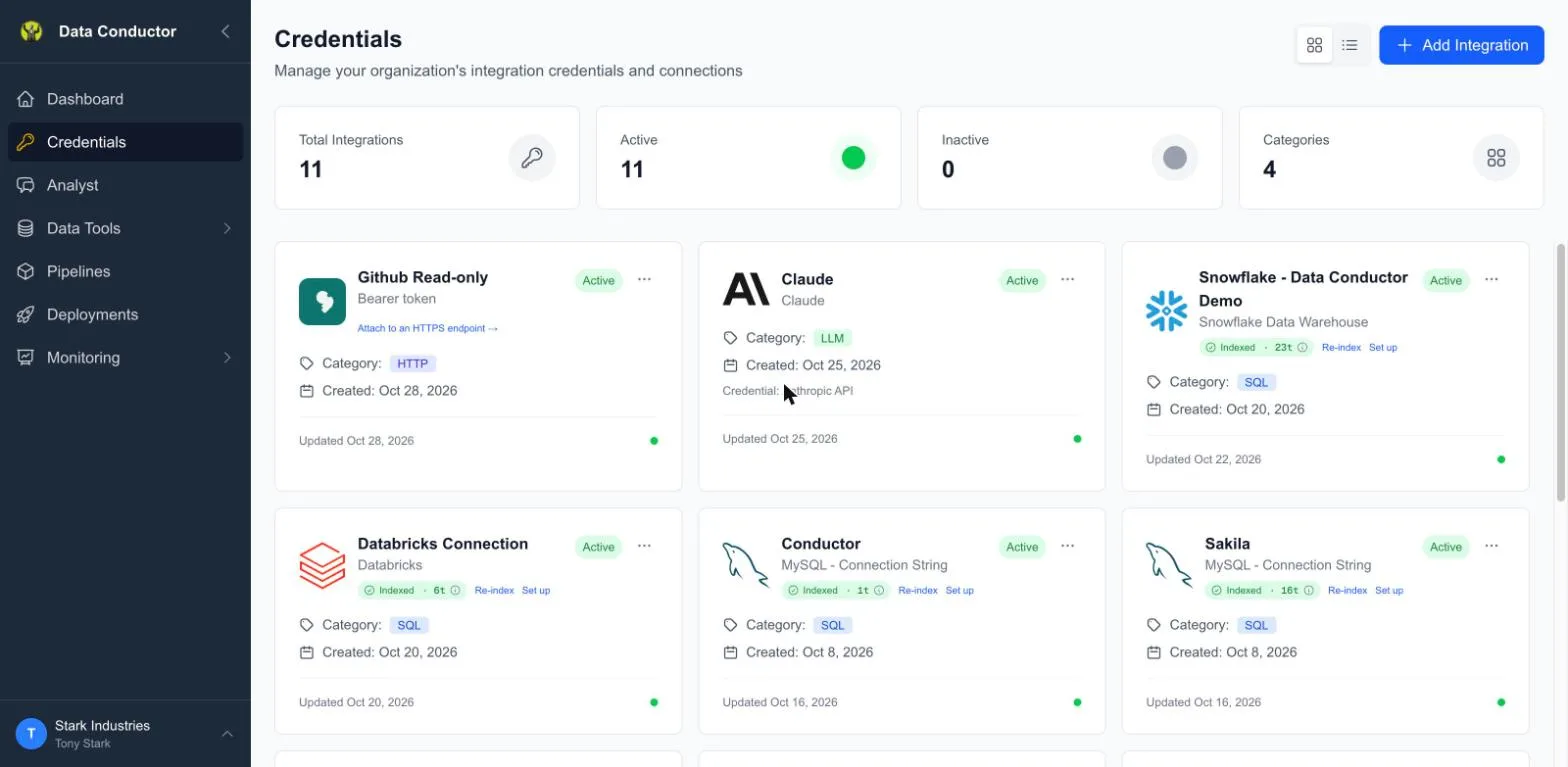
Then pick it in the endpoint's Credential field — the dropdown lists every HTTP credential the organisation has, by name.
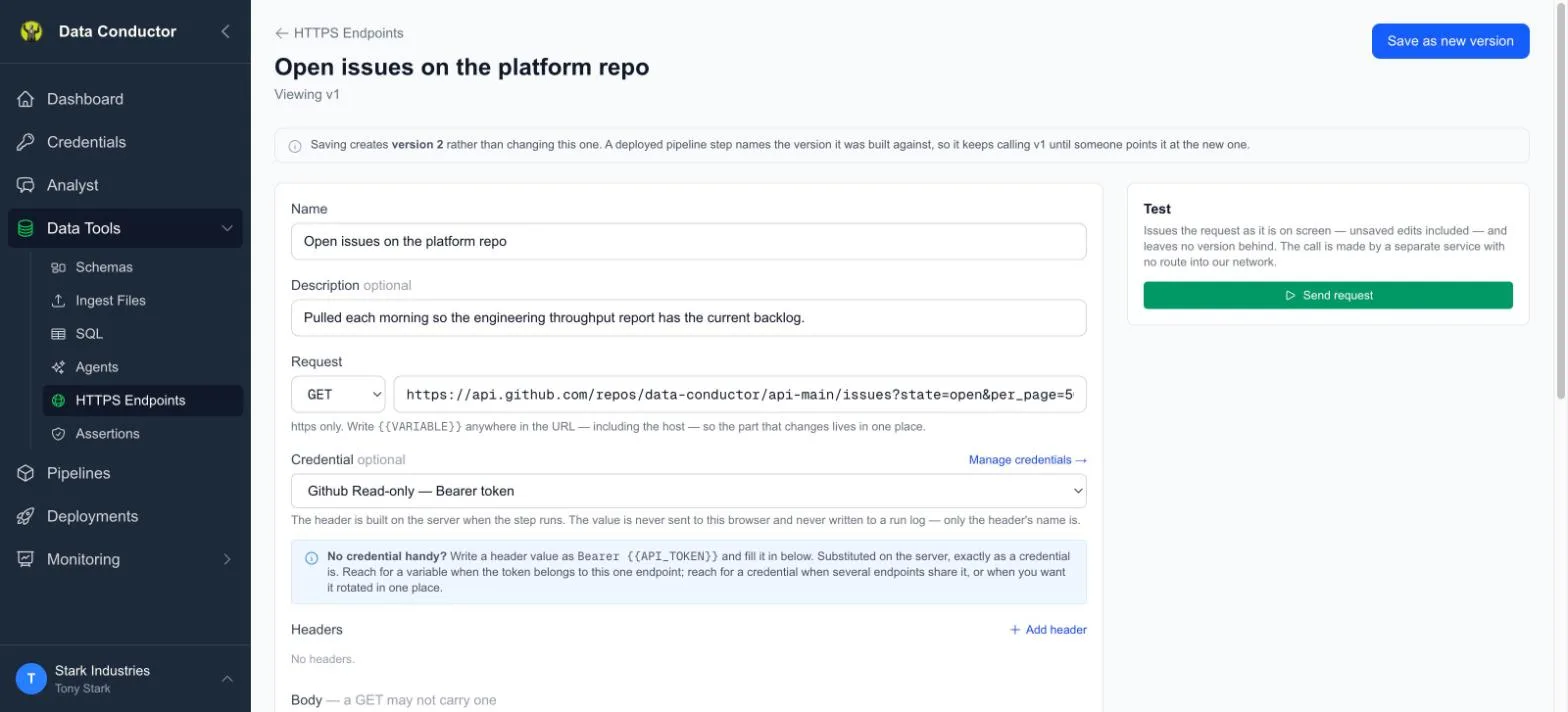
Notice what is NOT on that screen: the token. The header is built on our servers at the moment the request goes out, so the value is never sent to your browser, never written to a run log, and never returned by the Test panel, which reports header names only. The endpoint stores which credential to use, not the secret itself — which is also why one credential can serve many endpoints and be rotated in a single place.
A credential can also be restricted to the hosts it may be sent to. Leave that blank and it imposes nothing; fill it in and an endpoint pointing anywhere else is refused, while you are editing and again at run time.
One value, wherever it runs
Neither route is per-environment. A credential holds a single secret, and a variable holds a single value, so an endpoint sends the same token whichever environment its pipeline runs in. If two environments need different tokens, save two endpoints. Per-environment values exist underneath and can be surfaced — ask, and they will be.
Or write the header yourself, with a variable. A header value of
Bearer {{API_TOKEN}} works, and {{API_TOKEN}} is substituted on the
server when the step runs, exactly as a credential is. Reach for this when
the token belongs to this one endpoint; reach for a credential when the same
token is used by several, or when you want it managed and rotated in one
place.
Do not paste the token in as plain text. It is stored exactly as you typed it and anyone who can open the endpoint can read it.
Which of the two you need is a property of the API
Both kinds sit together in the list, and the Credential column says which is which at a glance:
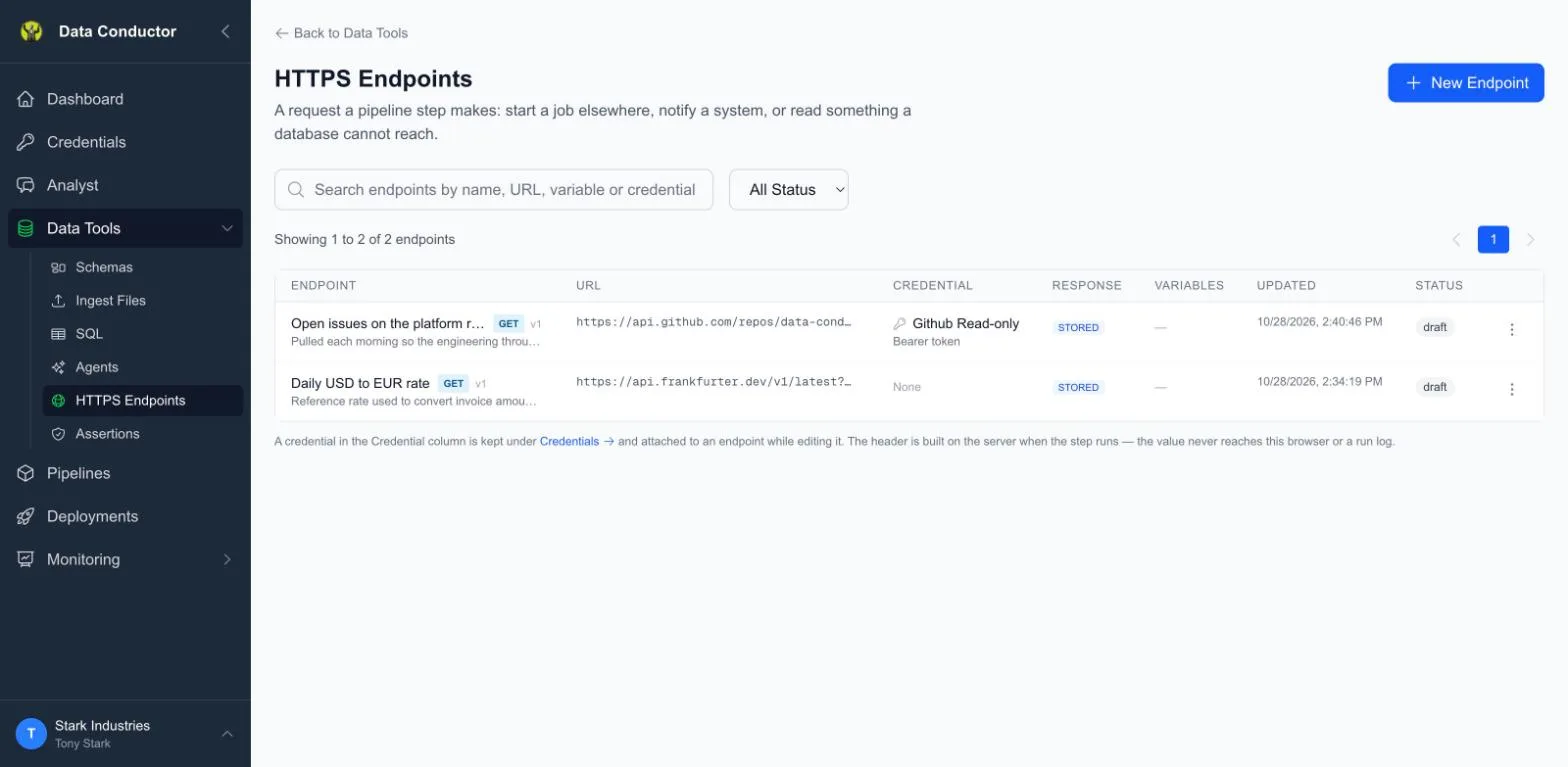
The exchange-rate endpoint is public, so it reads None. The GitHub one needs a token, so it names the credential that supplies it. Neither is more correct than the other — it depends entirely on what you are calling.
The column has a third state. If you wrote the Authorization header yourself
instead of attaching a credential, it reads In header and names the header,
rather than claiming the request is unauthenticated.
Variables
Any {{NAME}} in the URL, a header value or the body is a variable, filled in
server-side when the step runs. That includes the host:
https://{{API_BASE}}/orders is a valid endpoint, so the part that changes
lives in one place instead of being edited into the URL.
Each variable has one value, used wherever the endpoint runs. An HTTPS endpoint usually points at one third-party API with one base URL and one token, so asking for a value per environment meant typing the same thing twice. If you need an endpoint to behave differently in two environments, save two endpoints for now — and tell us, because per-environment values are built and waiting behind this decision rather than absent.
Versions, and retiring one
Saving a change creates a new version. Nothing is edited in place, because a deployed pipeline step points at a specific version and must keep doing what it did when you deployed it. A pipeline stays on the version it named until you point it at a newer one.
There is no delete. Archive takes every version out of service at once, so the endpoint stops being offered and any step still naming it refuses to run. Old runs stay readable, so a run log from months ago can still say what it called.
Pointing one at your own function
The most useful thing to put behind an endpoint is usually a small function you wrote. There is a contract worth knowing before you write it — what to return so later steps can read it, how to check the token we send, and what to do when the work takes longer than a request may.
Cloud functions as pipeline steps has the rules and a working template for GCP, AWS and Azure.
What it is not, yet
- No automatic retries. A failed request fails its step.
- No waiting. A step calls once and moves on; nothing polls a long job until it finishes. Use the two-step pattern — return an identifier, check it in a later step.
- The Analyst can build endpoints but cannot fire one ad hoc. It can create, read, version and archive them; running an arbitrary request on request is deliberately not something it can do.