Workflows
A workflow chains data steps into a pipeline. Where a data step is one query, a workflow is the order they run in, what depends on what, and what should happen when something is or isn't true.
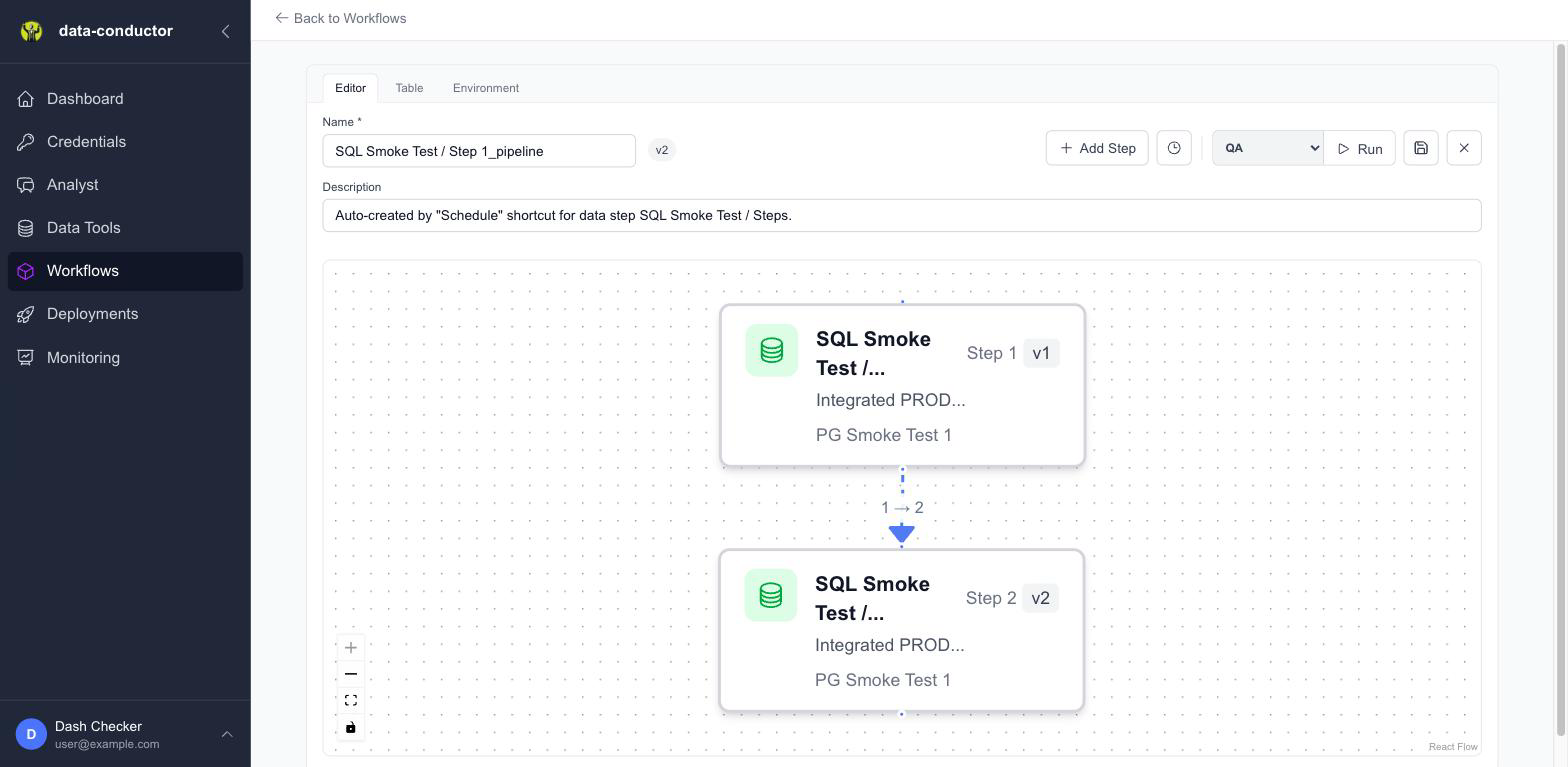
Building one
Workflows → New. The canvas is a graph: each node is a step, each edge is a dependency. Drag to connect, and the layout arranges itself.
A step's dependencies determine when it runs — a step with two upstream dependencies waits for both.
Conditions on edges
An edge can carry a condition, so the downstream step only runs when it's satisfied. Double-click an edge to open the condition editor.
| Condition | Tests |
|---|---|
| Value from previous step data | A named column from what the previous step returned — e.g. NUM_RECS > 0 |
| Previous step row count | How many rows the upstream step produced |
| Previous step status | Whether it completed, failed or was skipped |
| Last successful run age | Hours since this step last completed — "only run if stale" |
| Time of day | Current UTC hour |
| Day of week | Which days it may run |
Combine several with all or any.
Branching on returned data
To use Value from previous step data, the upstream data step must have Return data to pipeline enabled — that's the toggle under Advanced ⚙ in the SQL editor. Without it there's nothing stored to branch on, and the condition reports exactly that.
The pattern is a step that returns a single summary row:
SELECT COUNT(*) AS NUM_RECS FROM staging_orders
then an edge testing NUM_RECS > 0.
Versions
Saving a workflow that's in use creates a new version rather than overwriting the running one. Deployments pin a version, so a new draft doesn't change what production is doing until you promote it.
Related
- SQL Data Steps — the nodes
- Deployments — running a workflow on a schedule